
Turkey Fiscalization for Dynamics 365 Commerce
Frontline Tech’s Turkey Fiscalization solution enables retailers operating in Turkey to integrate local fiscal and electronic-document requirements directly into Microsoft Dynamics 365 Commerce.
The solution connects Store Commerce with PAVO for payment processing, fiscalization, and E-Invoice / E-Archive handling. Fiscal information is linked to the corresponding commerce transaction and made available in Dynamics 365 Finance and Operations for traceability. The solution also supports store-to-store E-Waybill processing through QNB.
Key features & benefits
Seamless PAVO fiscal integration
Connects Microsoft Dynamics 365 Commerce with PAVO, embedding payment processing and retail fiscalization into the normal Store Commerce workflow.
E-Invoice & E-Archive handling
E-Invoice and E-Archive processing is handled through the PAVO integration as part of the completed retail transaction.
Fiscal transaction traceability
The real fiscal invoice number is linked to the corresponding commerce transaction and transferred to Dynamics 365 Finance and Operations during statement processing.
Advance-payment and gift card handling
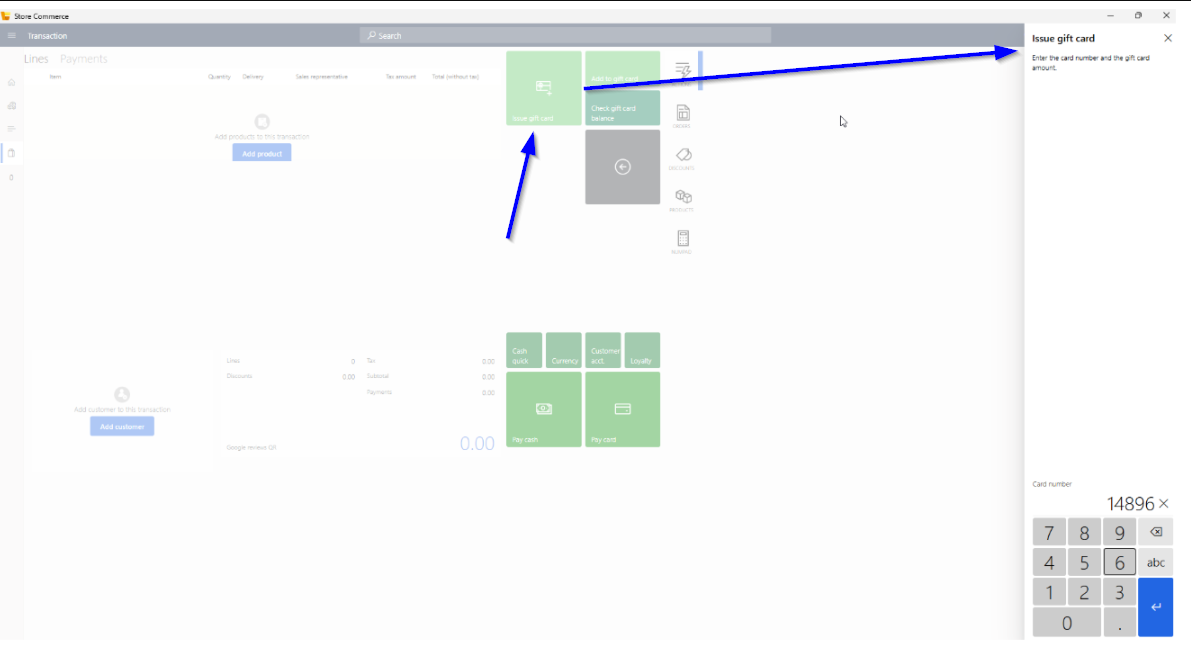
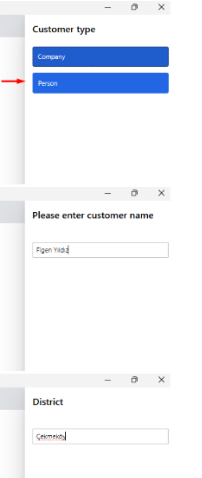
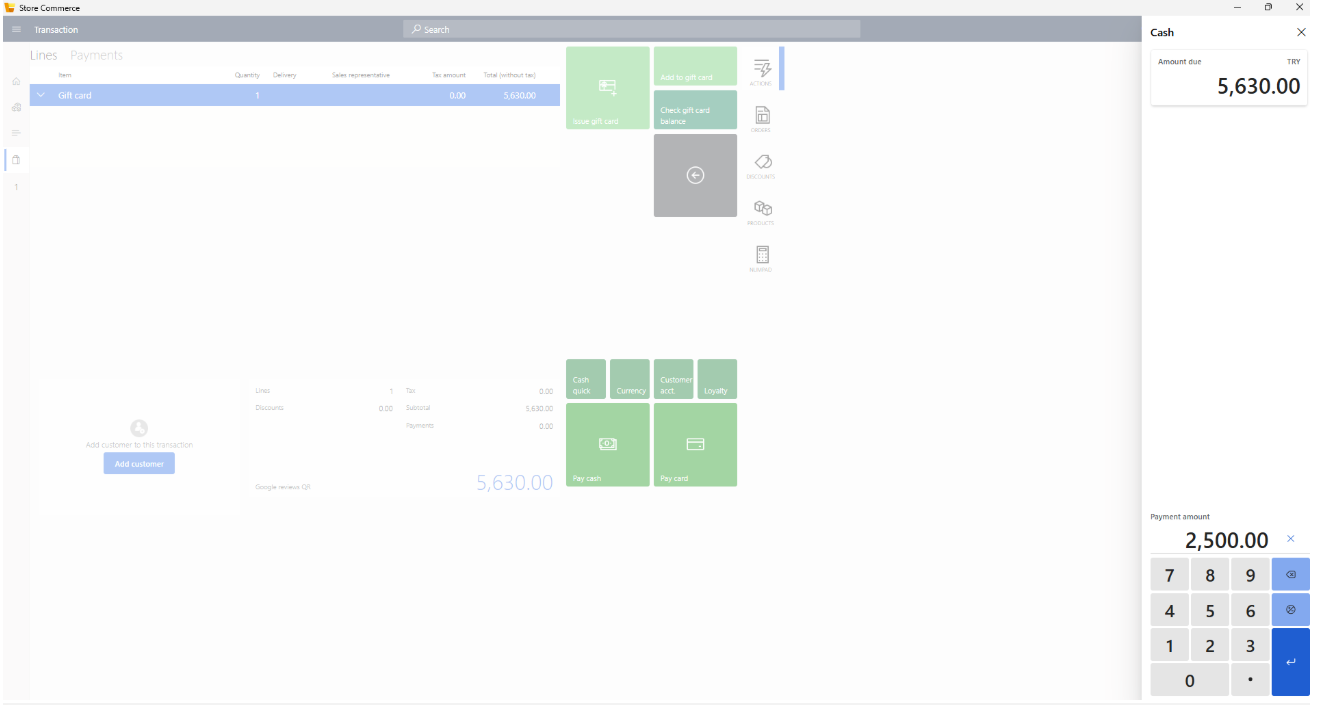
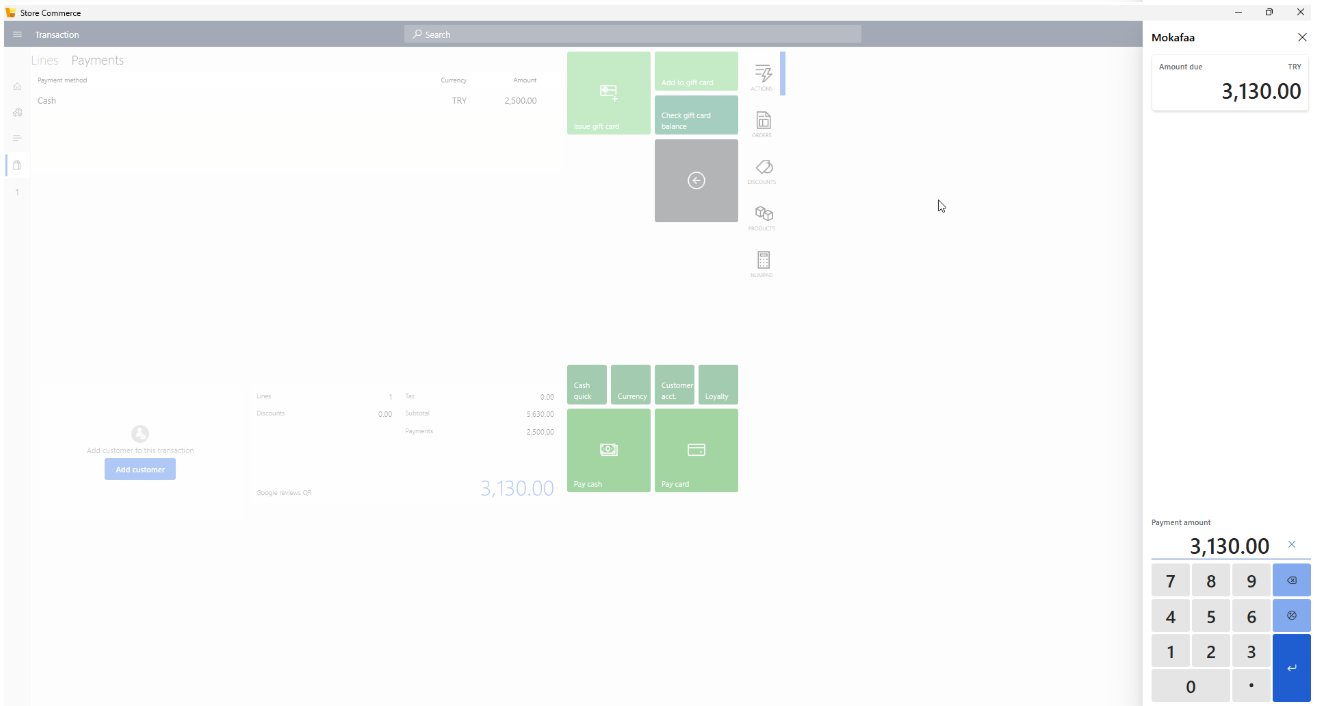
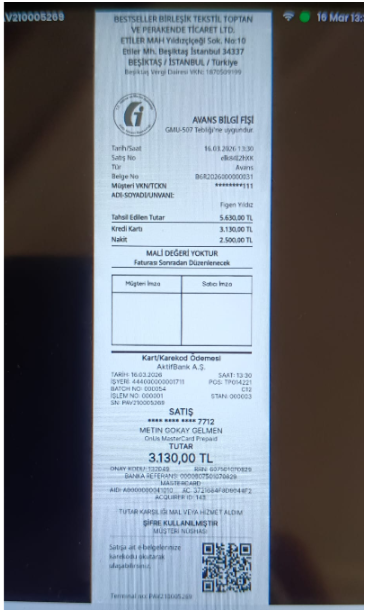
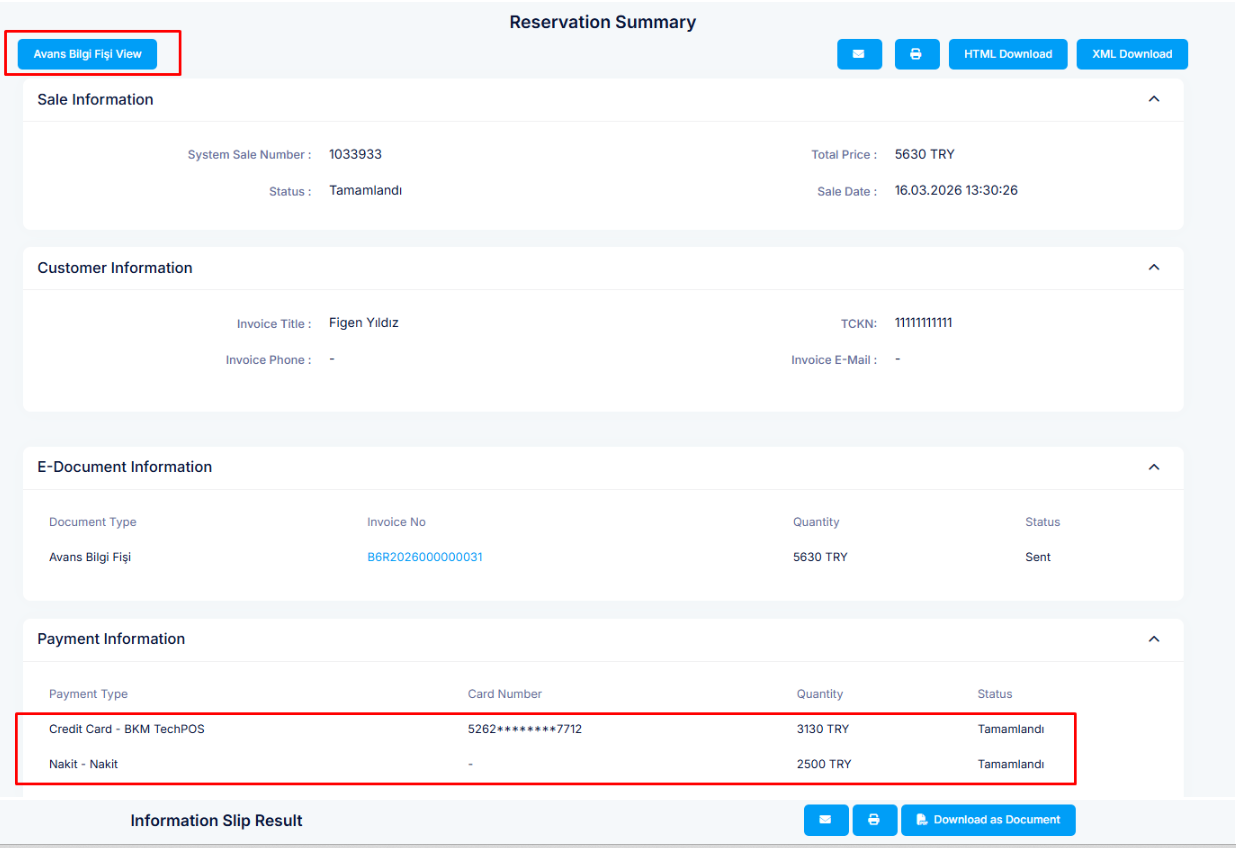
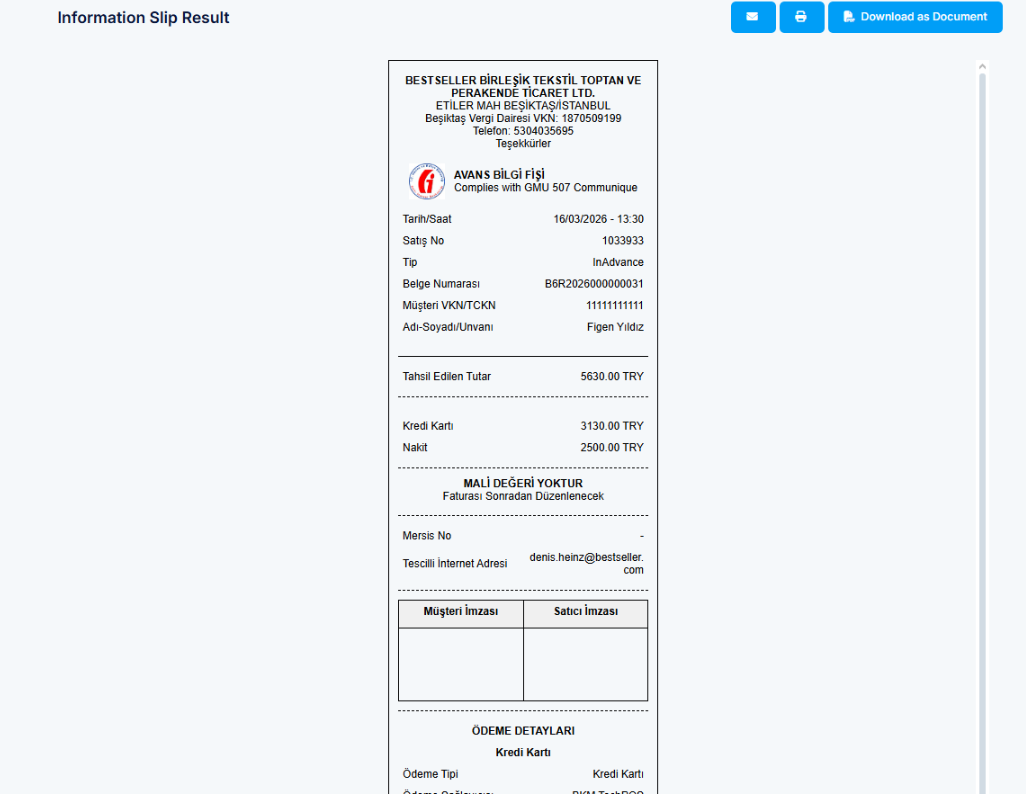
Supports Turkey-specific gift card issuance as an advance-payment process, including customer information, split payments, and generation of the dedicated PAVO advance-payment receipt.
Store-to-store E-Waybill
Supports E-Waybill processing for store-to-store transfers through QNB, including asynchronous status handling, retry functionality, and document retrieval.
Turkey-specific retail processes
Supports additional Turkey-specific fiscal processes including return receipt handling and the applicable fiscal tax and payment mappings.
See it in action
Please find the demo material below, which consists of 2 videos showcasing the E-Invoice / E-Archive features, and several screenshots showcasing the Turkey-specific flow for issuing gift cards - including advance-payment handling through the PAVO device.
E-Invoice / E-Archive demos
Two demo videos showcase the PAVO E-Invoice / E-Archive flow, including the Store Commerce transaction, resulting fiscal receipts, and generated electronic invoices.
Gift card and advance-payment flow
The screenshots demonstrate the Turkey gift card issuance process from start to finish:
Scope & responsibilities
What’s not included
- Microsoft Dynamics 365 Commerce licensing.
- Customer-specific commerce processes or integrations outside the agreed Turkey fiscalization scope.
- PAVO, QNB, or other third-party services and associated licensing.
- Third-party fiscal or payment hardware and other components required for operation.
- Fiscalization of sales originating directly in Dynamics 365 Finance and Operations / Call Center.
- E-Waybill processing for sales orders or other flows outside the supported store-to-store transfer scope.
- Integration with alternative fiscal or E-Waybill service providers outside the supported PAVO and QNB architecture.
Customer responsibilities
- Maintain the required Microsoft Dynamics 365 Commerce and Dynamics 365 Finance and Operations environment and licensing.
- Establish and maintain the required commercial agreements with PAVO and the applicable E-Invoice / E-Archive and E-Waybill service providers.
- Maintain a supported PAVO device and the third-party environments required for operation.
- Procure, license, and maintain the required third-party services, hardware, and associated components.
Frontline Tech provides the Microsoft Dynamics 365 solution and integrations but does not provide or resell PAVO, QNB, fiscal/payment hardware, or associated third-party services and licensing.
Built on Microsoft standards
The solution is designed to interoperate with Microsoft Dynamics 365 Commerce and Dynamics 365 Finance and Operations, integrating Turkey retail fiscalization and store-to-store E-Waybill processing into the existing Dynamics 365 architecture.
Microsoft and Dynamics 365 are trademarks of the Microsoft group of companies.
Contact
Get in touch to discuss projects, partnerships, or general inquiries.
Phone
+45 30 85 34 81Address
FRONTLINE TECH A/S
STORE TORV 1, 3.
8000 AARHUS
DENMARK
VAT (DK)
DK36903376